Is Your Shopify Feed Ready for AI Max for Shopping?
Is Your Shopify Feed Ready for AI Max for Shopping?
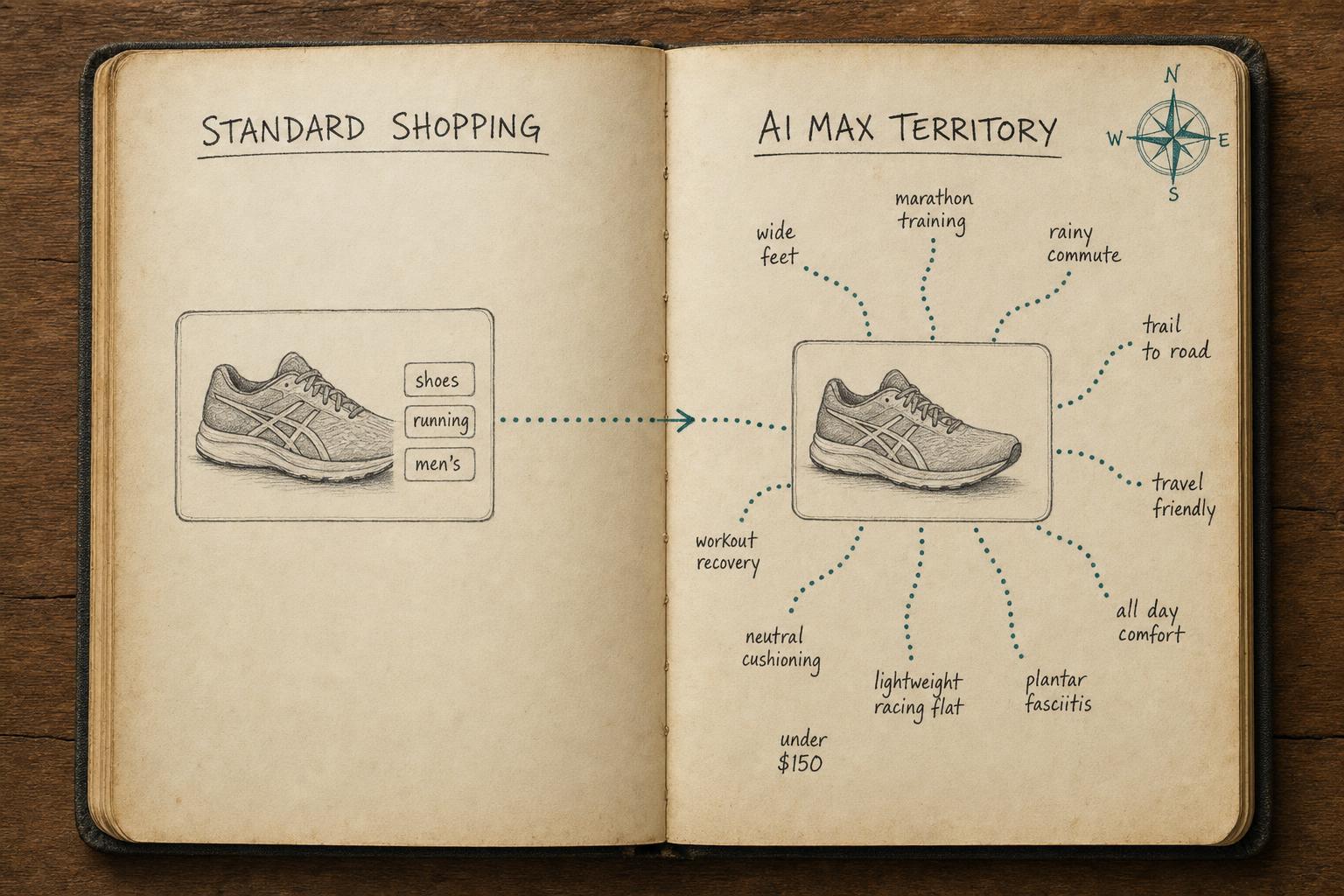
AI Max for Shopping is live. Google’s newest campaign type doesn’t just run ads — it rewrites them, matches them to queries you never targeted, and expands your reach across the full Search network. The catch: it uses your product feed as the raw material for all of that. Strong feed in, strong performance out. Weak feed in, and the AI amplifies every gap you have.
Before you flip the switch, here’s what you need to check.
What AI Max for Shopping Actually Does
AI Max for Shopping is Google’s shift from query-matching to intent-matching. Standard Shopping campaigns show your ads when a search roughly matches your product title. AI Max goes further: it interprets what a searcher intends to buy, then assembles ad copy — headlines, descriptions, images — from your product feed data to match that intent.
This is a meaningful change. You’re no longer just bidding on keywords. You’re feeding a generative system that decides how to represent your products. Google’s AI draws from your titles, descriptions, product_type taxonomy, custom labels, and a set of newer AI-native attributes to build ad creative on the fly.
The merchants who win with AI Max are the ones whose feeds give the AI plenty of high-quality raw material. Everyone else gets default behavior — or worse, irrelevant matches that burn budget.
Why Weak Feeds Blow Up with AI Max
Traditional Shopping campaigns were forgiving. A generic title like “Men’s Running Shoe” could still rank if your bid was competitive and your landing page was relevant. The query-to-product matching was crude enough that feed quality was a second-order concern for many advertisers.
AI Max is not forgiving.
When Google’s AI has to assemble ad copy from a sparse description, a missing product_type, and empty custom labels, it has to guess. Guesses mean broad, irrelevant queries — low-quality impressions and wasted spend. The AI Max system is designed to reward specificity. Merchants who give it structured, complete, attribute-rich data get better reach at better cost.
The three failure modes we see most often:
Generic titles. “Dress” instead of “Women’s A-Line Wrap Dress | Floral Print | Midi Length.” The AI needs structured detail to match intent precisely.
Thin descriptions. A two-sentence description that restates the title gives the AI nothing to work with. Descriptions are how the AI understands what problem your product solves.
Empty custom labels. These are the AI’s bidding signal inputs. Leave them blank and you’re running AI Max with one hand tied behind your back.
Now let’s talk about what to fix.
The Six Attributes That Drive AI Max Performance
Not all feed attributes matter equally in AI Max. These six drive the most impact.
1. Titles
AI Max can rewrite ad headlines, but it sources product identity from your title. Structure matters: Brand + Product Type + Key Attribute (size, color, material, use case) outperforms generic naming. “Patagonia Nano Puff Jacket — Men’s | Insulated | Black” gives the AI everything it needs to match intent precisely. Generic titles give it almost nothing.
2. Descriptions
In Standard Shopping, descriptions barely mattered. In AI Max, they’re the AI’s primary source of product context. Write descriptions that explain what the product does, who it’s for, and what makes it the right choice. Natural language, complete sentences, 150–300 words. The AI reads these — treat them like content, not metadata.
3. product_type
Google’s own taxonomy (google_product_category) is required, but product_type is your free-text classification field. Fill both. The combination gives the AI more context about where your product fits, especially for products that span categories or have non-obvious search intent.
4. custom_labels (0–4)
Custom labels are your segmentation layer. Feed them business signal: margin tier, seasonal relevance, bestseller status, inventory level. Labels like high-margin, evergreen, and new-arrival help the AI prioritize the right products at the right time and optimize bids accordingly. If you’re not populating at least custom_label_0, you’re leaving the AI without key context.
5. AI-Native Attributes (New in 2025)
Google added several attributes specifically for AI-driven campaigns: lifestyle_image_link, product_highlight, and structured_title. These feed the AI’s creative assembly pipeline directly.
lifestyle_image_link— a contextual visual for responsive ads, distinct from your standard product imageproduct_highlight— up to 10 bullet-point features the AI can draw from when writing ad copystructured_title— a formatted alternative to your main title, useful when your catalog titles don’t follow ideal structure
Merchants who don’t submit these are leaving creative performance on the table. The AI will run without them — it just won’t run as well.
6. GTIN / MPN / Brand
Catalog matching relies on these. When Google can match your product to its product catalog, it improves relevance scoring, impression share, and competitive positioning. Missing GTINs weaken the identity signal. If you manufacture your own products and don’t have GTINs, populate MPN and brand at minimum.
Pre-Launch Checklist: Feed Readiness for AI Max
Before enabling AI Max for Shopping, run through this list. Every unchecked item is a performance leak.
Titles
- Every product title follows Brand + Product Type + Key Attribute structure
- No generic titles — color, material, size range, or use case included where relevant
- Titles are under 150 characters
Descriptions
- Every SKU has a description of 150+ words
- Descriptions explain use case, materials, fit, or key differentiator
- No descriptions that simply repeat the title
Taxonomy
-
google_product_categoryis populated for every product -
product_typehas a meaningful value (not blank, not “Uncategorized”)
Custom Labels
- At least
custom_label_0is populated for all products - Labels reflect a real business signal (margin, season, bestseller, inventory tier)
AI-Native Attributes
-
lifestyle_image_linksubmitted where available -
product_highlightsubmitted with 5–10 bullets per product -
structured_titlesubmitted as an alternative to main title
Identifiers
- GTINs populated for all products that have them
- Brand field populated for every product
- MPN populated for products without GTINs
Feed Freshness
- Feed updates at least daily
- Price and availability syncing correctly — no stale out-of-stock products
How Simple Product Feeds Fixes Each Gap
The challenge with most feed tools is that adding new attributes is slow. Legacy rule-based systems require building new rule templates every time Google adds an attribute — and Google keeps adding them. By the time your team has configured the workflow, you’ve missed the early-adopter window.
Simple Product Feeds takes a different approach. Because it reads directly from your Shopify product data and metafields, mapping new attributes is fast. You map the Shopify field to the Google attribute, apply a transform if needed, and it’s live in the feed. No rebuilding workflows. No waiting on templates.
Here’s how SPF addresses each gap on the checklist:
Title optimization. SPF’s Custom Rules let you build structured titles by combining Shopify fields — title, vendor, product_type, variant options — into a formatted output. One rule, applied to your entire catalog. Done in minutes.
Descriptions. Map Shopify’s body_html field directly, or use metafields to maintain a feed-specific description optimized for AI Max. No copy-paste, no manual updates.
product_type mapping. SPF maps your Shopify product type directly, or you apply Custom Rules to standardize inconsistent values across your catalog.
custom_labels. This is where SPF’s metafield support stands out. Tag your products with metafields in Shopify (e.g., margin_tier, is_bestseller) and map them to custom_label_0 through custom_label_4 in SPF. The labels stay in sync automatically as your inventory changes.
AI-native attributes. SPF supports all current Google Merchant Center attributes. Map lifestyle_image_link from a Shopify metafield, pull product_highlight from a structured metafield, and you’re live — typically under an hour for a prepared catalog.
GTIN/MPN. SPF reads from Shopify’s barcode field for GTIN automatically. MPN can be mapped from any metafield.
For a deeper look at how to structure your feed for maximum performance, see our guide on product feed optimization.
The Bottom Line
AI Max for Shopping isn’t something you can ignore and optimize later. It’s live now, and the merchants who prepared their feeds first are already compounding the benefit of better AI training data. Feed quality doesn’t just affect today’s impression share — it shapes how the AI learns to represent your products going forward.
Audit your feed. Fix the gaps. Then let the AI do what it was built to do.
Try Simple Product Feeds free →
Free for up to 50 SKUs. No developer required. Install in minutes from the Shopify App Store.
Frequently Asked Questions
Does AI Max replace Smart Shopping?
Smart Shopping campaigns were sunset in 2022 and replaced by Performance Max. AI Max for Shopping is a separate campaign mode introduced in 2025 — it runs within Search campaigns, not Performance Max. Think of it as Shopping’s version of broad match: expanded reach, AI-driven creative assembly, all powered by your product feed.
Do I need a new feed for AI Max?
No. AI Max uses your existing Google Merchant Center feed. What changes is how much it uses — the AI draws on more attributes more aggressively than Standard Shopping. You don’t need a separate feed, but you should audit your current one against the checklist above before enabling.
What happens if my feed has gaps when I enable AI Max?
The AI will do its best with what it has. In practice, that means broader query matching (spending budget on lower-intent searches), weaker ad creative, and less efficient bidding. You won’t see errors — you’ll just get underperformance. That’s why fixing gaps before launch matters more than fixing them after you’ve already burned budget.
How do custom labels work with AI Max?
Custom labels in AI Max serve the same structural role as in standard Shopping: you populate up to five labels per product, available for bid rules and campaign segmentation. In AI Max, they also provide the AI with additional signal to understand product priority and context. Labels like high-margin or seasonal-hero help the AI make smarter bid decisions automatically — especially valuable when AI Max is expanding reach into new query territory where manual bid rules don’t yet exist.
Ready to simplify your product feeds?
Simple Product Feeds connects your Shopify store to Google Shopping, Meta, and more — in minutes.
Install Simple Product FeedsRelated Articles
Google's Conversational Attributes: A Field Report from One of the First Real Uploads
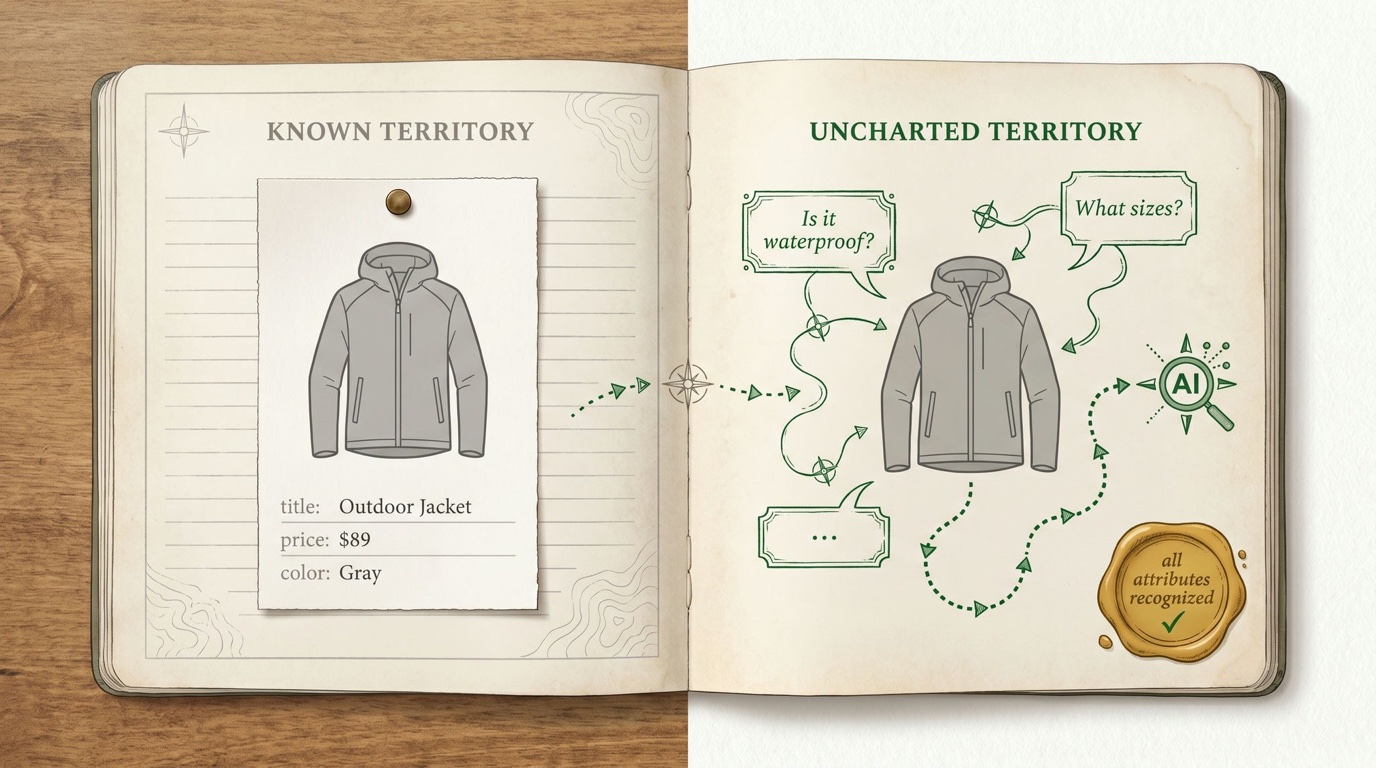
Google just added six new AI-shopping fields to Merchant Center — and no feed tool can generate them with rules. We built them with an LLM, uploaded them, and documented everything: the format, the gotchas, the costs, and the open questions.
The Complete Guide to Product Feed Management for Shopify
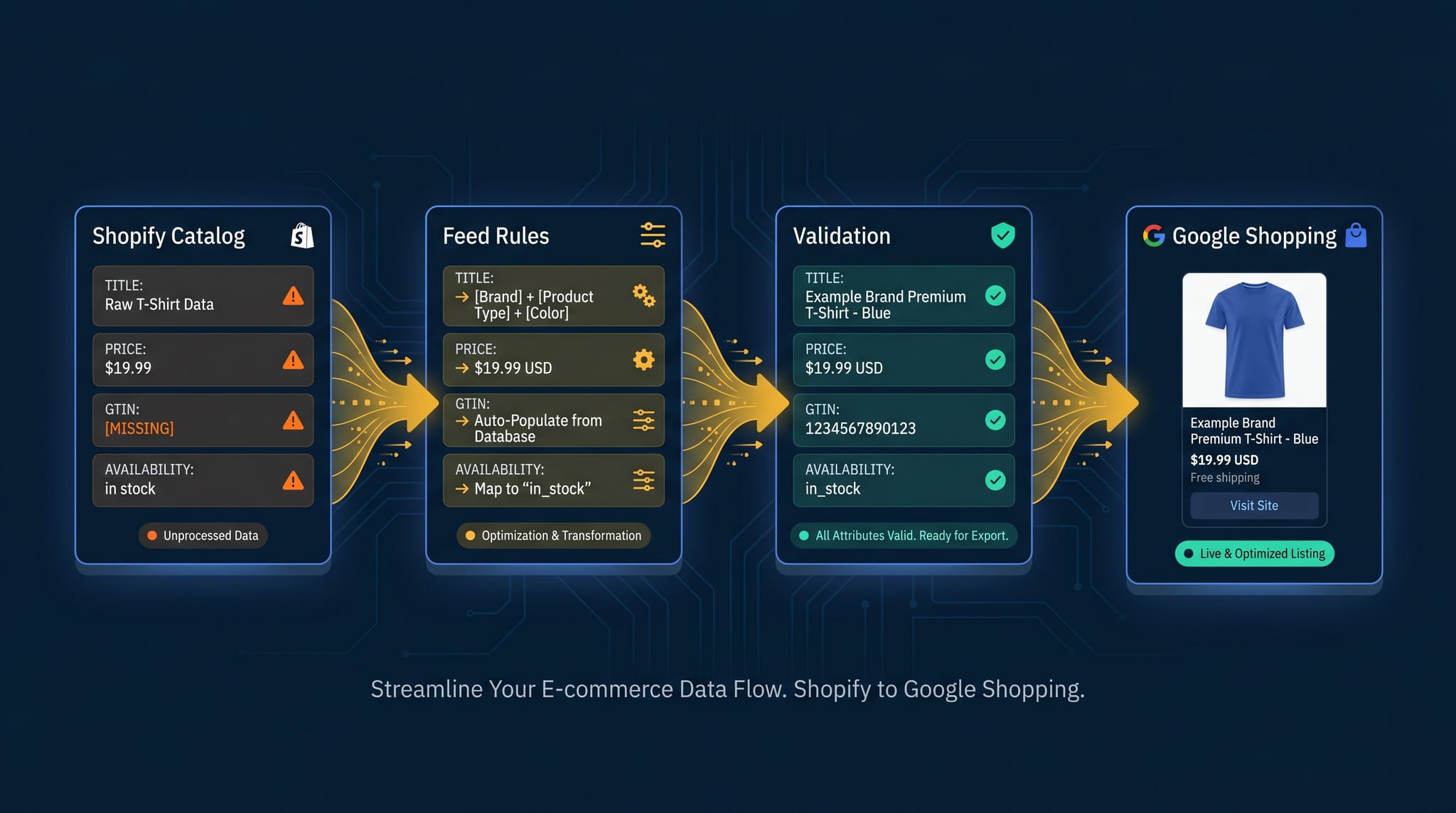
Product feed management is more than syncing your catalog. Here's the complete guide to how it works, what breaks, and how Shopify merchants do it right.
How to Optimize Your Shopify Product Feed (Complete Guide)
Optimize your Shopify product feed for Google Shopping with this step-by-step guide. Fix titles, categories, GTINs, and feed rules to get more impressions and clicks.